Auto Repair Shop Digitalization with CARBOOK
Vehicle Diagnostics & Inspections
Important: This is not an OBD2 electronic scan, but a professional, step-by-step visual defect inspection system for mechanics that automatically converts service notes into upsell opportunities.
Try Digital DiagnosticsProfessional Defect Inspection Modules for Any Repair Shop
- DVI (Passenger Cars): Detailed undercarriage and suspension inspection following a precise, standardized checklist.
- DVI (Heavy Trucks): A complete counterpart to the passenger module, enhanced with specific technical diagrams and components designed for commercial and heavy-duty vehicles.
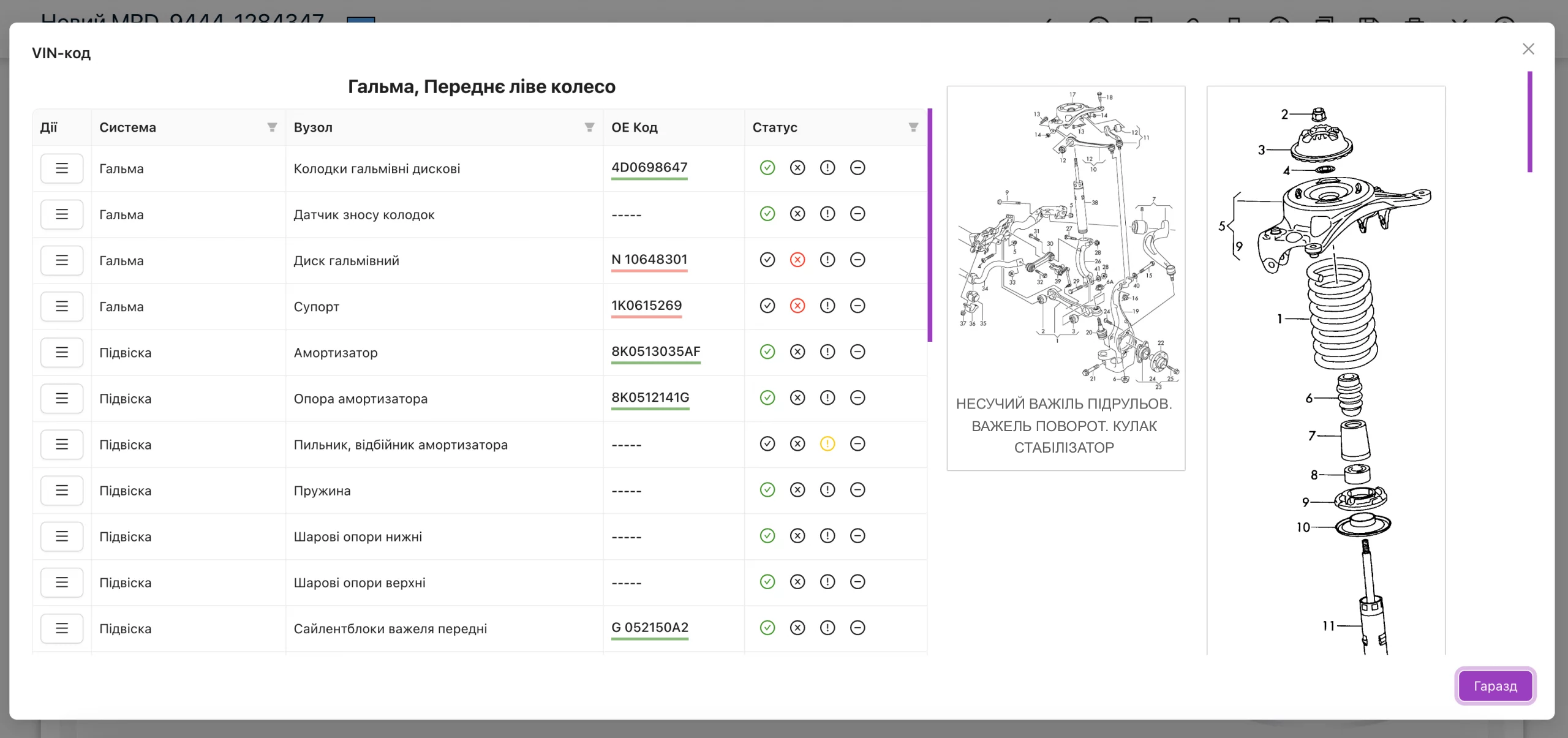
- List-Based Diagnostics (VIN Diagrams): Universal checklists integrated with original OEM technical illustrations via VIN decoding for flawless part identification.
- Voice-Assisted Diagnostics: The fastest way to complete inspection logs hands-free while working under the vehicle. Create custom inspection sheets, attach photos, add comments, and generate instant repair estimates.
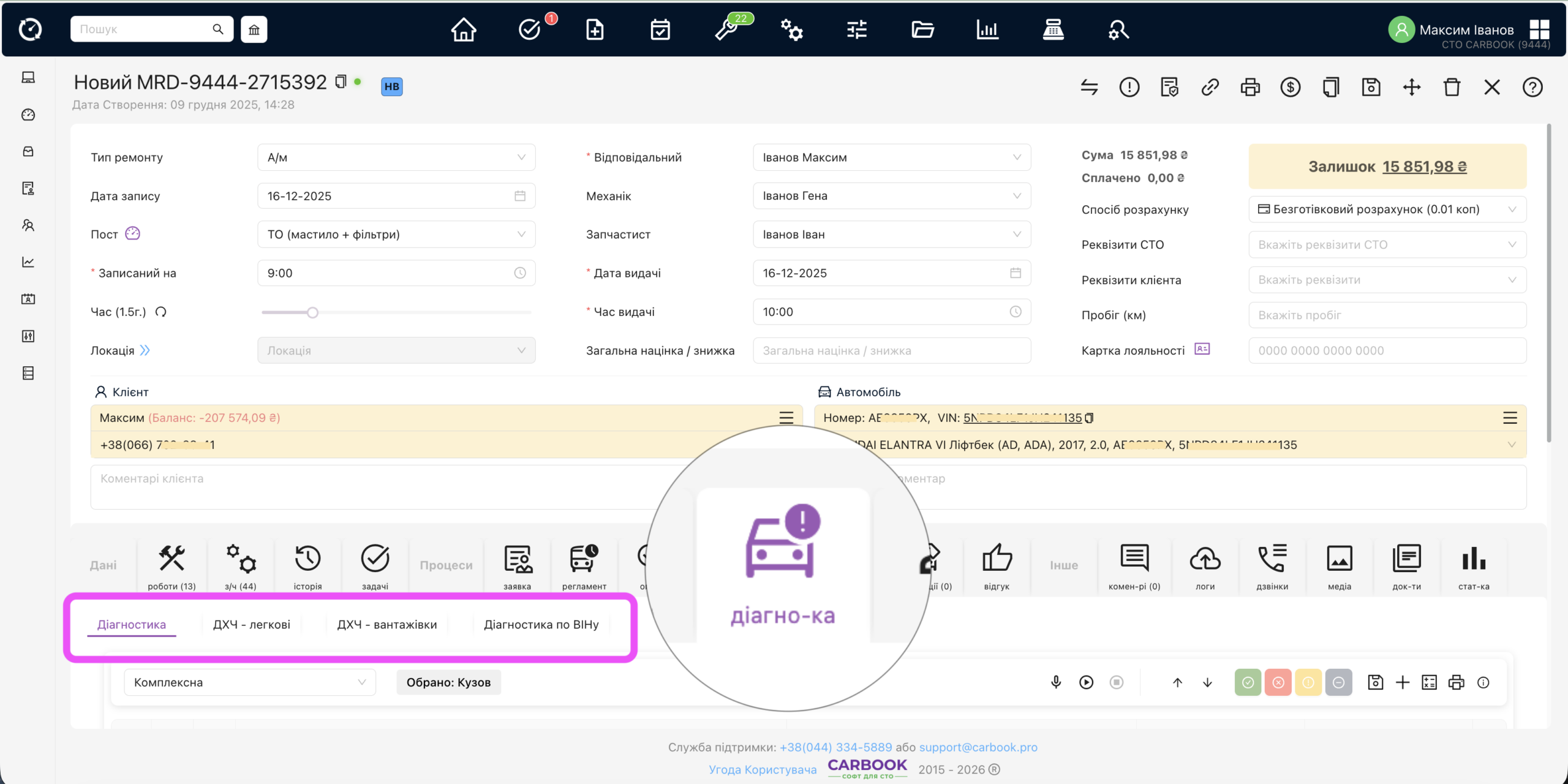
Professional Undercarriage Inspection (DVI)
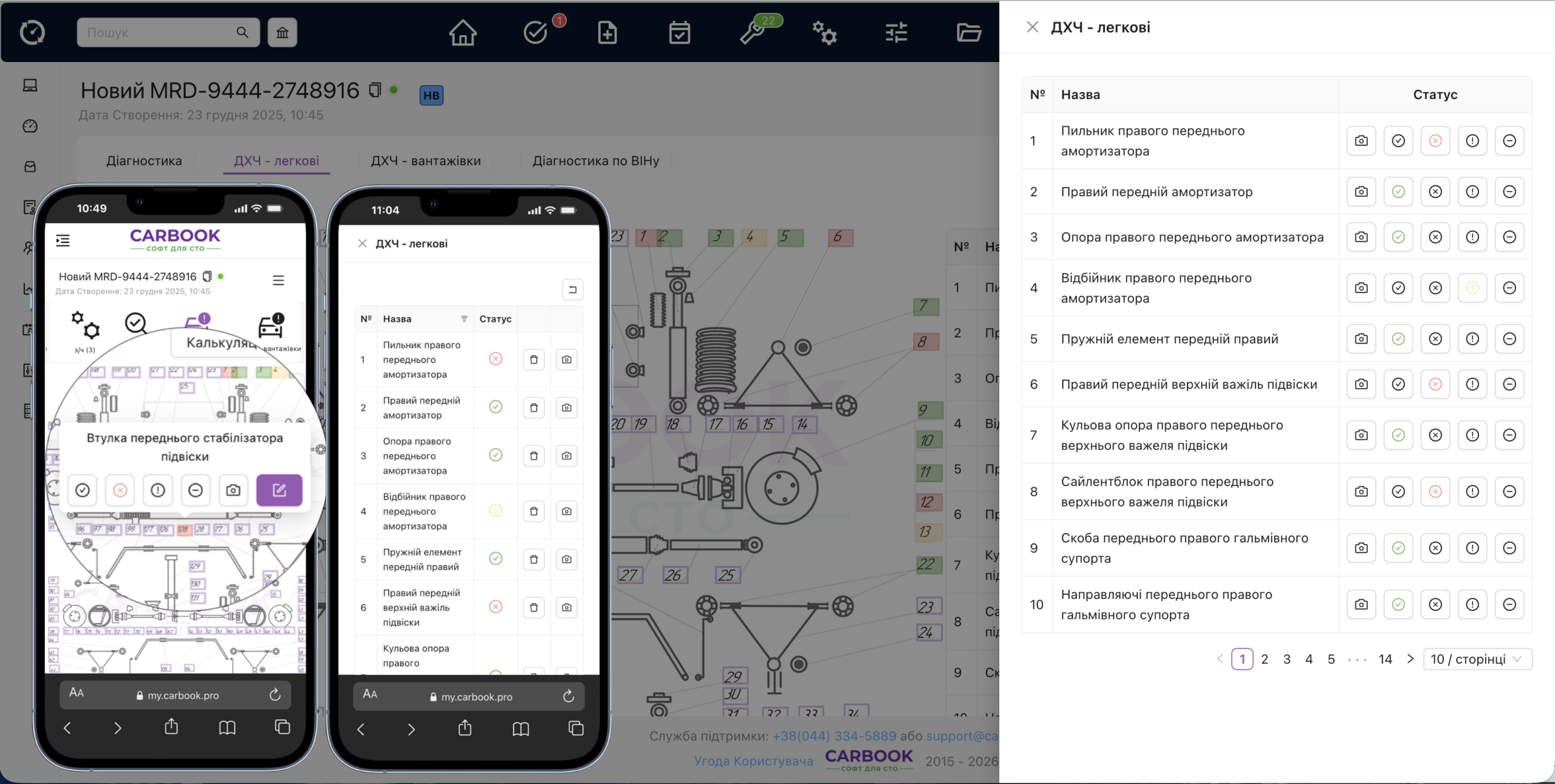
A comprehensive analysis of the suspension, steering, and braking systems driven by an intuitive, universal interactive diagram:- Logical Component Grouping (1-135): The schematic layout is divided into zones for instant navigation:
- Front Right Wheel (1-28) & Rear Right Wheel (29-60)
- Rear Left Wheel (61-92) & Front Left Wheel (93-120)
- Center Underbody Area (121-135)
- Pinpoint Accuracy: Select the exact component facing issues (e.g., “Front Right Shock Absorber” rather than just a generic shock absorber).
- Status Color-Coding: Set one of 4 clear statuses for every individual part: Replace Attention OK Not Applicable + add custom notes and photos.
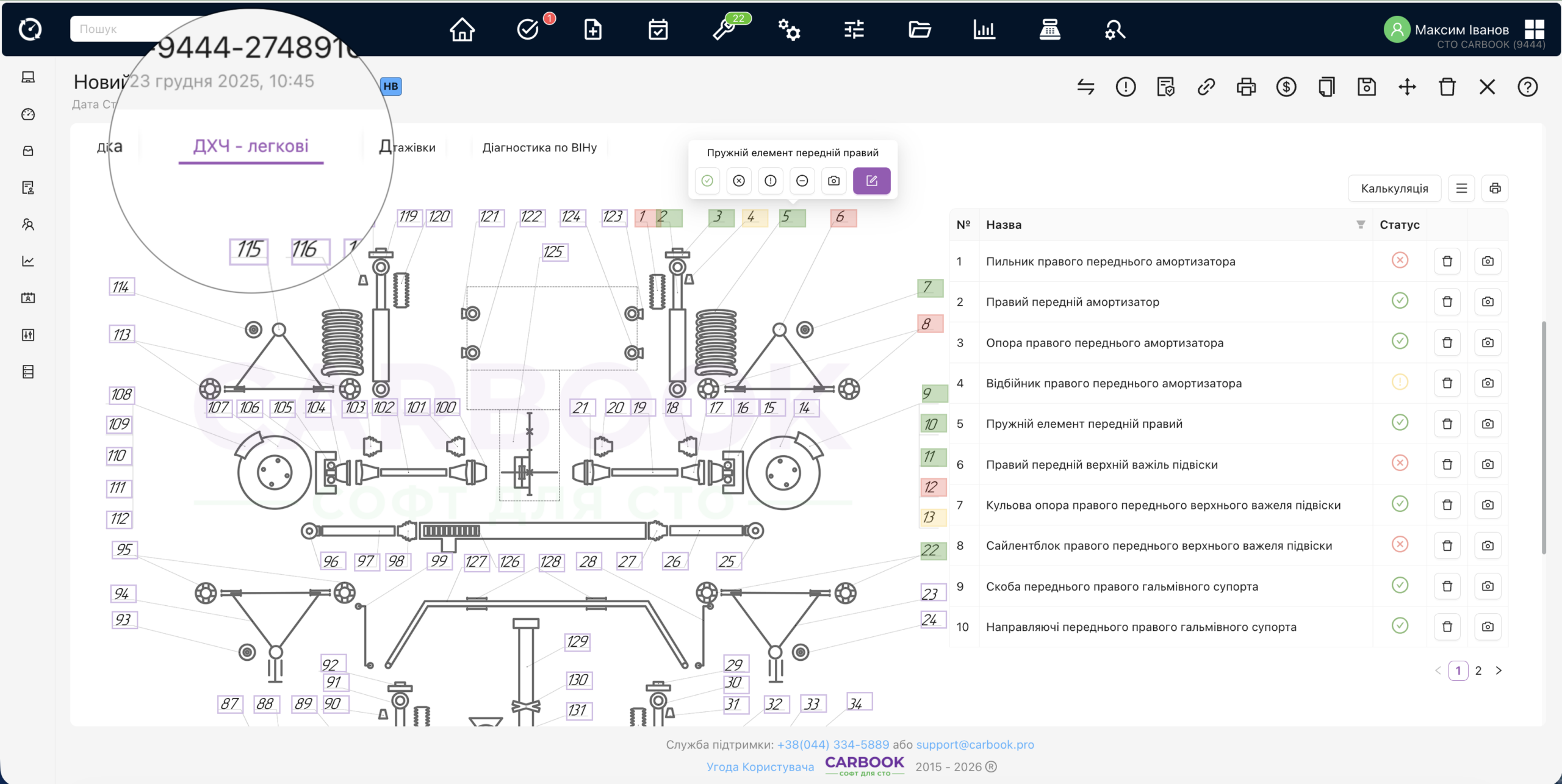
Two Operational Modes — Online & Offline
Run your workshop your way: completely digitalize the inspection process or keep the familiar paper workflow with late system logging.🌐 Online Mode:
- Seamless operation across desktop, tablet, or mobile devices.
- Switch instantly between the interactive graphic diagram or a full component list view.
- Automated generation of client estimates and an easy-to-read "Traffic Light" health report.
📝 Offline Mode (Paper-Based):
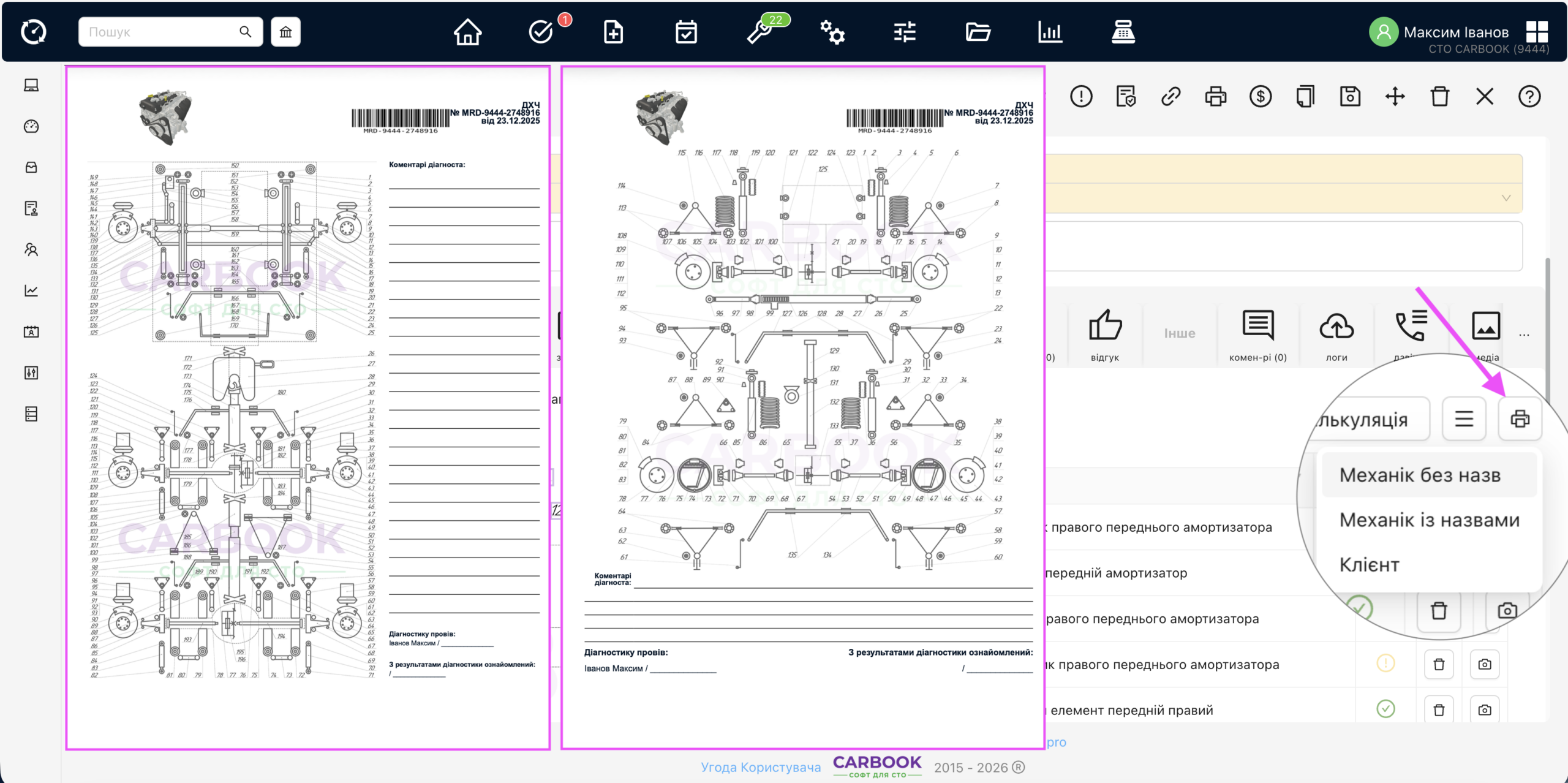
- Print out full-sized undercarriage inspection forms with schematics for tech markings under the lift.
- Print itemized checklists with part names for quick manual completion on the shop floor.
How Does the Voice Assistant Work?
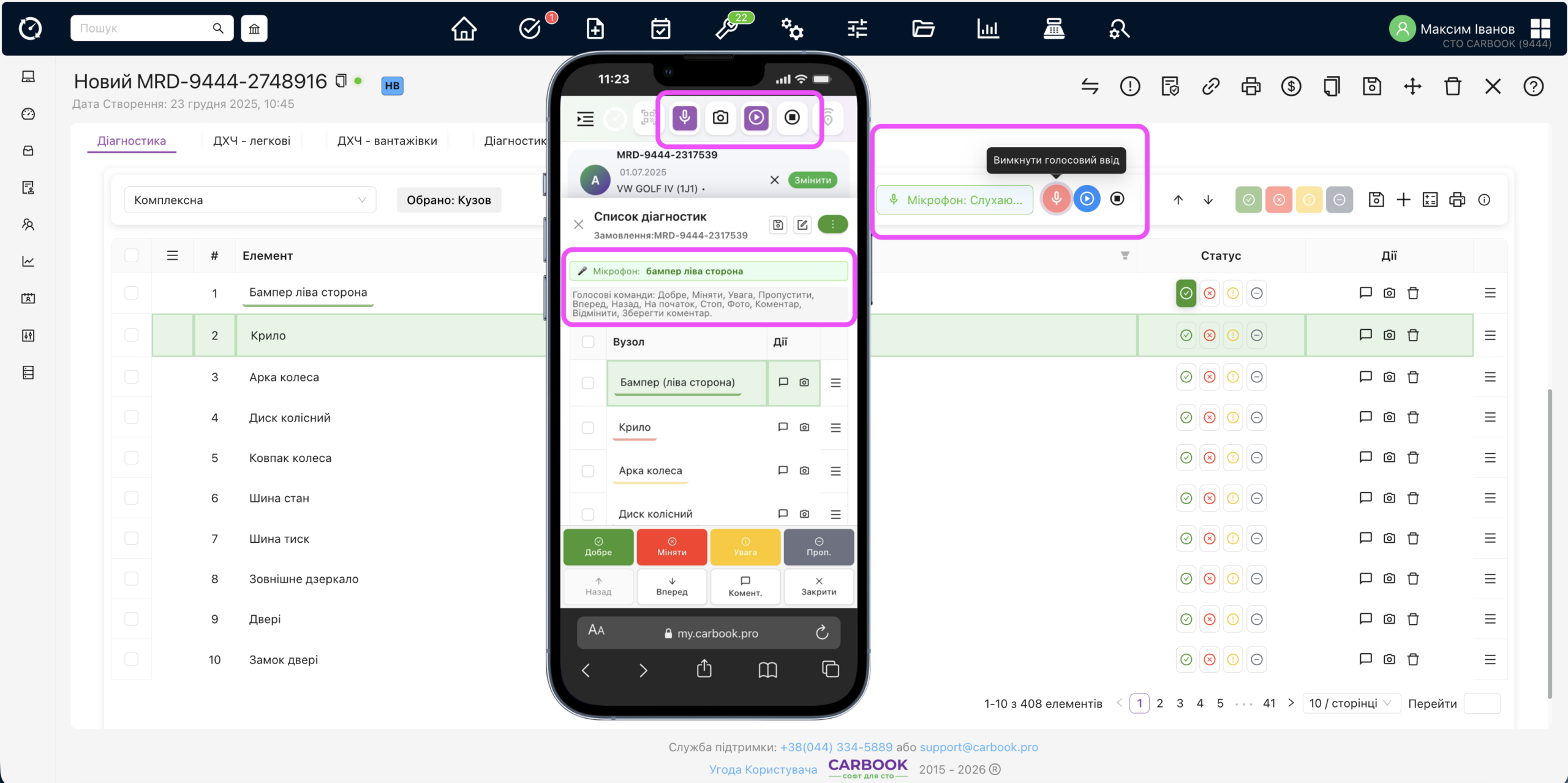
An interactive dialogue between the mechanic and the system that cuts vehicle inspection times in half:- Voice Prompts: The system reads out the component name or the next step on the diagnostic sheet.
- Voice Confirmation: The technician speaks the status aloud (OK, Replace, Attention). The system processes the audio and transitions to the next part.
- Media Capture: Attach photos of faults and dictate custom repair descriptions directly during the inspection.
- Instant Estimating: The system instantly suggests standard job costs and part prices based on the recorded defects.
- Tailored Configurations: Create personalized inspection checklists for any type of maintenance service your shop provides.
OEM Technical Diagrams & Flexible Reporting
Harness the power of accurate VIN mapping for faultless parts matching:- VIN-Based Workflows: Work directly on factory assembly schematics to identify defects in specific mechanical groups.
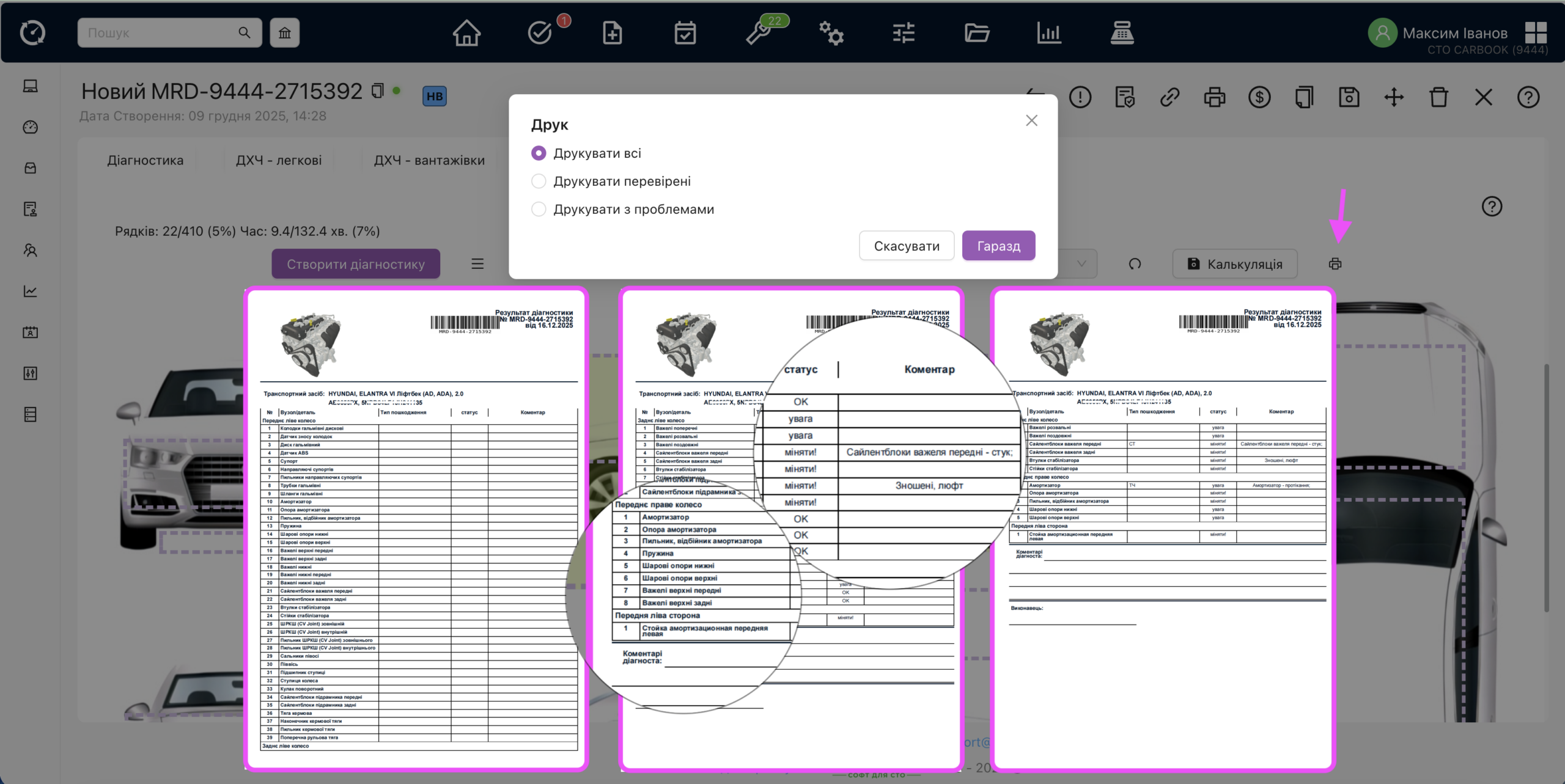
- Professional Print Layouts:
- Print All — a comprehensive template for offline operations.
- Print Inspected — a thorough vehicle health status report.
- Print Flags & Problems (Traffic Light) — the ultimate sales tool for gaining repair approvals from vehicle owners.
Inspections That Drive Revenue
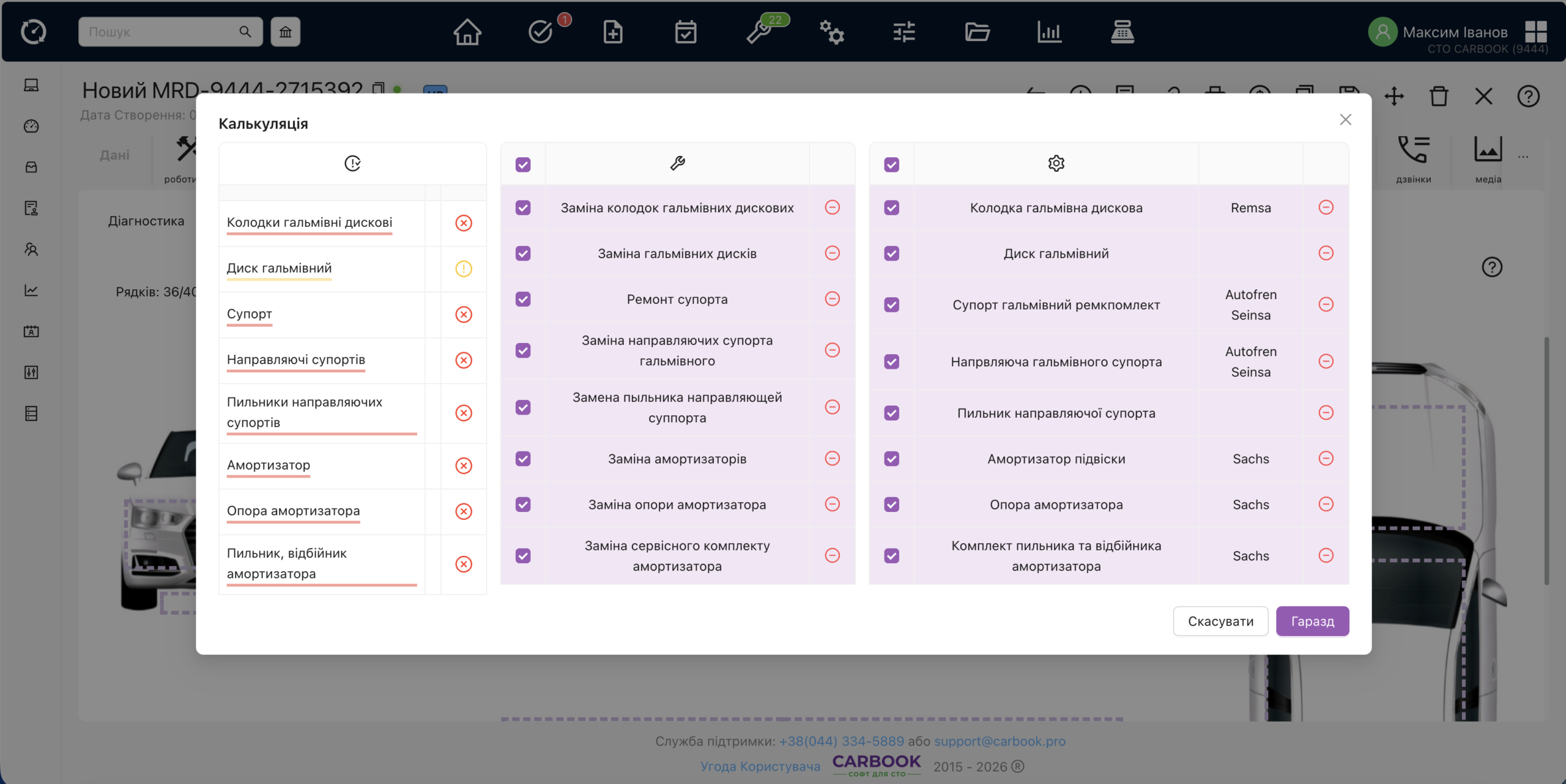
Digital diagnostics in CARBOOK is more than a list of flaws — it’s automated service writing:- Smart Service Mapping: The system analyzes detected issues and automatically recommends matching repair operations and replacement parts.
- One-Click RO Additions: Selected jobs are added to the Repair Order with a single click, saving service advisors valuable time.
- Customer Trust: A professionally formatted "Traffic Light" report visualizes issues clearly, drastically increasing additional job approval rates.